TUNNELD
Turn any ARM64 SBC into a Sovereign Zero Trust Gateway. Tunneld bridges WiFi and Ethernet to build a high-performance, private subnet that masters the local environment before it ever touches the cloud.
chmod +x install.sh
sudo ./install.sh
// THE NETWORK TRADEOFF
The "Cloud-Dependent" Edge
Most networking solutions rely on external "brains": Cloud VPNs and public DNS. If the internet flickers, your local infrastructure becomes a "dumb" brick. You are renting intelligence rather than owning it.
The Latency & Logic Gap
Standard routers treat all traffic equally, leading to Bufferbloat. Without intelligent queue management, latency-sensitive traffic like VoIP and gaming suffers while large downloads saturate the connection.
The "Drawer of Dormant Silicon"
We all have Raspberry Pis sitting in drawers because they lack a high-utility purpose. Most projects are temporary experiments; they rarely become permanent, mission-critical infrastructure.
Your Sovereign Control Plane
Tunneld puts the "brains" back where they belong: at your physical boundary. It’s the ultimate way to promote your dormant silicon from a desk-drawer experiment to a permanent, Software-Defined Edge Gateway.
Your Sovereign Control Plane
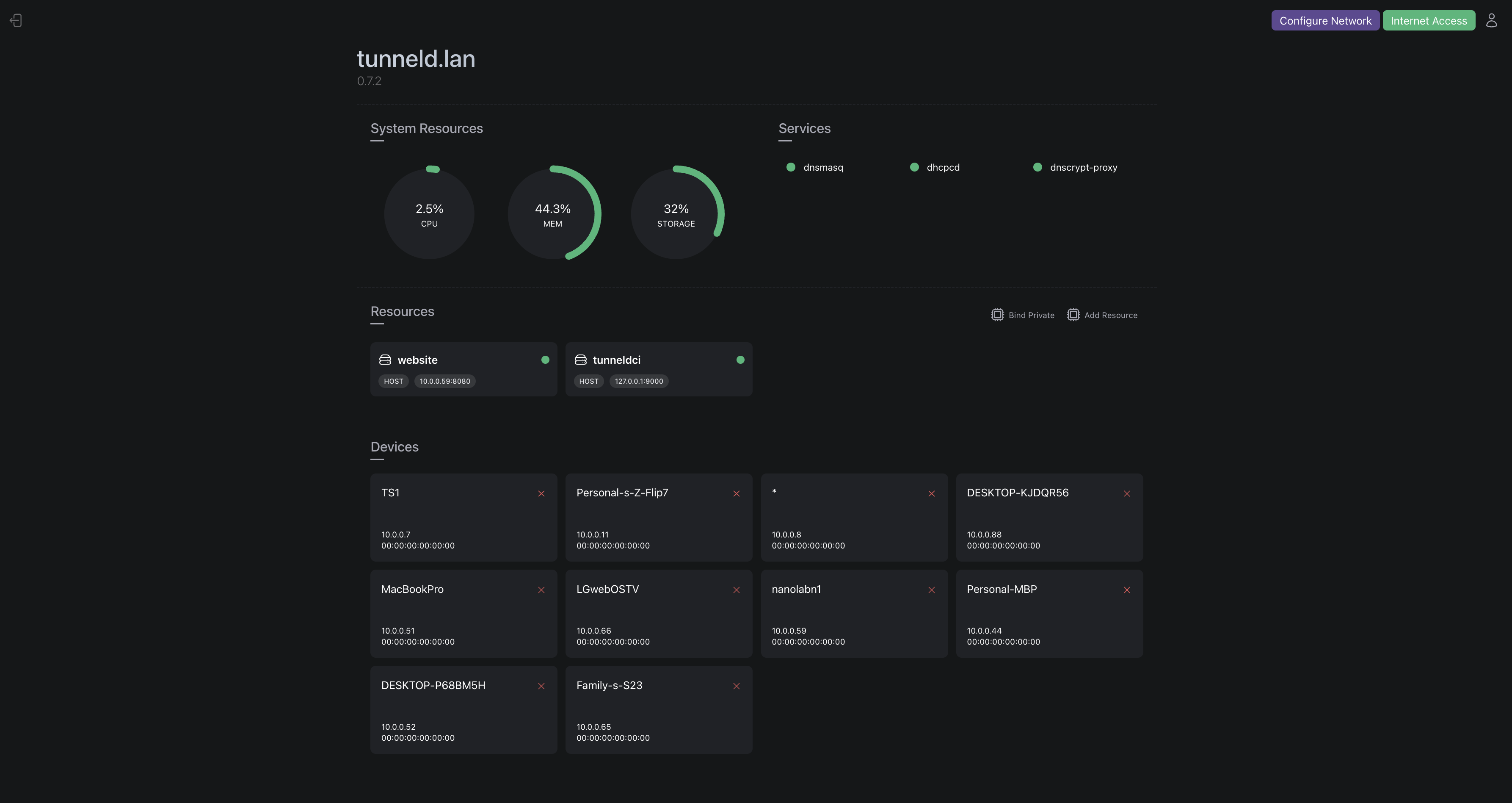
Getting Started
Promote Your Hardware.
Take that dormant Raspberry Pi 3B or NanoPi out of the drawer. Tunneld is optimized to transform underutilized ARM64 boards into hardened edge gateways where you physically control the boundaries.
One-Line Mastery.
Run the one-line installer. Tunneld claims the wireless radio and provisions a dedicated, portable private environment, transforming the OS into a specialized network appliance. Updates are safe. Existing installations are backed up first, and failed updates roll back automatically.
Distributed Mesh Relay.
Connect multiple Tunneld nodes through a relay coordinator. No port forwarding required. Nodes register outbound and route to each other over WireGuard through the relay. Tag LAN devices to expose them to the mesh, then SSH or access private subnets from any node.
Outbound-Only Overlay.
Link your zrok/OpenZiti account. Securely publish local services or consume remote shares via an identity-based overlay: no open ports, no exposed IPs, and no inbound firewall holes required.
Eliminate Bufferbloat.
Toggle SQM (Smart Queue Management) to ensure your critical traffic like VoIP, SSH, and Gaming remains lag-free, even when the upstream WiFi is congested by large background downloads.
// SYSTEM CAPABILITIES
Wireless-First Gateway
Required WiFi-bridging core that treats any upstream connection (Home, Hotel, or 4G) as an untrusted transport, creating a hardened private zone for your devices.
Flexible DNS Configuration
Point Tunneld at any DNS server. Cloudflare, Pi-hole, or your own resolver. All subnet DNS queries are routed through your chosen server with no per-device configuration needed.
Identity-Based Overlay
Connect services through an identity-based overlay network. No open ports, no exposed IPs, and no inbound firewall holes. Just secure, outbound-only tunnels via Zrok and OpenZiti.
Distributed Service Pooling
Native load balancing across identities. Aggregate multiple service instances behind one endpoint, pooling resources from your local subnet and trusted remote peers.
Mesh Networking
Connect gateways into a single mesh via a relay. Nodes register outbound-only and sync peers automatically.
Tag devices with wg to expose them, then route to private subnets from any node.
The relay is open source. Host your own on any VPS with a public IP and UDP 51820 open.
More...
SQM traffic shaping, device tagging, privacy obfuscation, remote restart, BEAM-powered resilience, and more. The dashboard has the full feature set.
// FAQ
Because software clients can't control the physical edge. Tunneld manages the firewall, the radio, routes DNS traffic to your chosen resolver, and shapes packet queues (SQM) at the source to protect everything behind it.
It can, but it's designed to be a "Gateway." It plugs into any network and creates a new, safer subnet inside it. Think of it as a private VIP lounge inside a public airport.
WireGuard connects machines (IP to IP). Tunneld uses WireGuard for mesh networking between gateways via a relay coordinator, but also connects identities to services (via zrok), eliminating the need for static IPs or open ports entirely.
Actually, it lowers "latency under load." While it may slightly reduce absolute top-end throughput, it ensures your ping remains stable even when the connection is saturated.
Built on the BEAM, non-essential processes are isolated. If a dashboard process crashes, it is restarted in milliseconds without interrupting the core network routing.
Yes. Local networking and DHCP remain fully operational. DNS forwarding works if your configured DNS server is reachable within the subnet. You can access services within the subnet even when offline.
The installer backs up your existing version before applying any update. If the new version fails to start, it automatically rolls back to your previous installation. Your gateway stays online. You'll see a clear message with next steps and a link to report the issue.